Number Pools and DNI
Set up Dynamic Number Insertion to track website visitors at the session level.
What DNI does
Dynamic Number Insertion (DNI) swaps the phone number on your website per visitor session. Instead of every visitor seeing one static number, CallScaler serves a tracking number from a pool, then attributes calls back to that visitor's source data.
How number assignment works
Each pool has active tracking numbers, a session timeout, and optional fallback behavior. When a visitor lands on your site, the tracking script calls the DNI endpoint with pool + visitor IDs. CallScaler either reuses the visitor's active session number or assigns the next available number in the pool.
- •If the visitor already has an unexpired DNI session, they keep the same number
- •If no session exists, CallScaler picks a random available active number in the pool
- •If no pool numbers are available, CallScaler returns your fallback number (if configured)
- •The tracking script sends heartbeat updates every 60 seconds to keep active sessions alive
- •After expiration, the number is available for reassignment
Create a number pool
1. Open Numbers.
2. Click the Pools tab.
3. Click Create Pool.
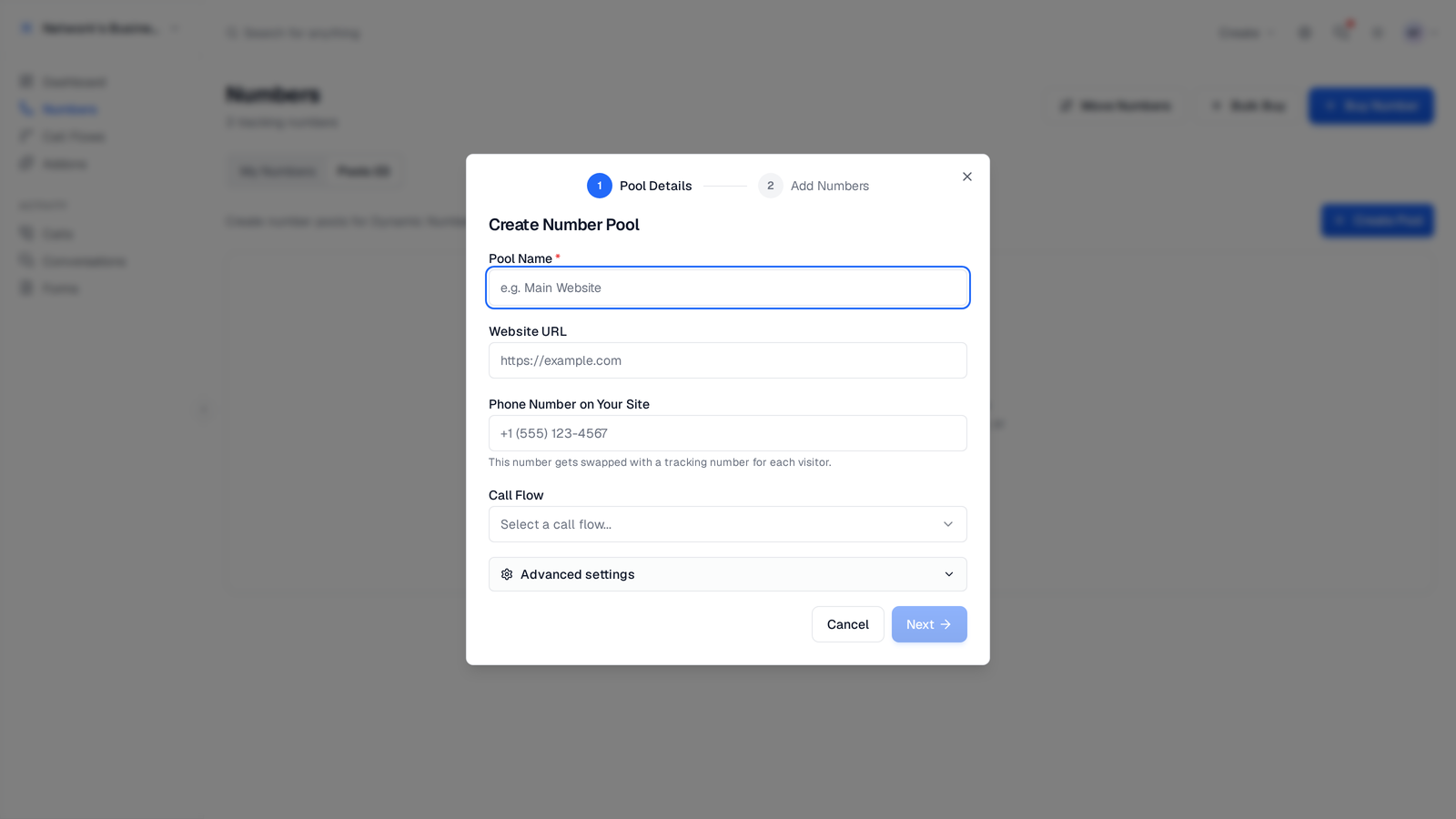
4. Enter pool details: Name (required), Website URL, Phone Number on Your Site (target number to swap), and Call Flow. Open Advanced settings to set Session Length and an optional Backup Number.
5. Click Next to add numbers.
6. Choose Buy New or Use Existing, then create the pool.
If you buy numbers in the pool wizard and set a call flow, newly purchased numbers are automatically assigned to that call flow.
Install the tracking script
1. Open Extensions → Website Tracking.
2. Copy the Global Tracking Snippet.
3. Add it site-wide (usually before </head>).
4. Publish your site and test from a URL that includes UTM or click-id parameters.
The pool details dialog references Website Tracking for snippet installation. Use the global tracking snippet page, not a pool-specific script.
Attribution data captured
DNI sessions store ad-click and session attribution fields used throughout call reporting:
- •UTM parameters: source, medium, campaign, term, content
- •Landing page URL and referrer
- •Google Ads click ID (gclid)
- •Facebook click ID (fbclid)
- •Microsoft Ads click ID (msclkid)
- •Visitor IP and user agent
Sizing and monitoring pools
Start with a small pool, then scale based on session pressure. In the Pools tab, compare Numbers vs Active Sessions for each pool. If active sessions regularly approach pool size, add more numbers.
A practical starting point is 5 numbers. For higher traffic, increase pool size gradually and monitor utilization in production.
Related
On this page