Call Flow Settings
Configure recording, notifications, screening, and automation settings for each call flow.
Open Call Flow Settings
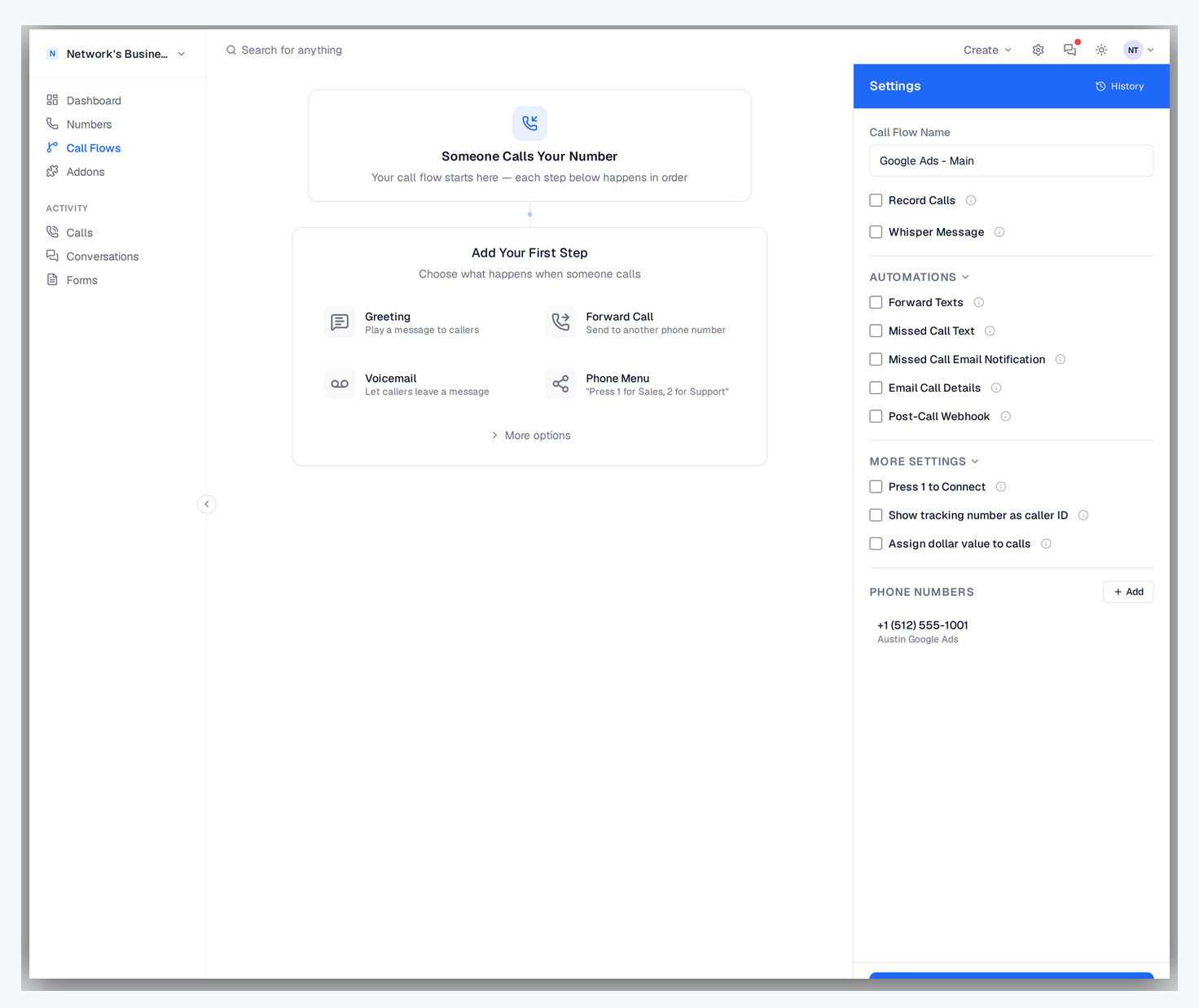
1. Go to Call Flows.
2. Open the call flow you want to edit.
3. Use the right sidebar to configure recording, automations, and routing behavior. The Automations and More Settings sections collapse by default — click each header to expand.
4. Click Save.
If you type an email or phone value but do not click Add, Save still captures valid pending entries automatically.
Call Recording and Transcription
Enable Record Calls to capture calls on that flow. Recordings appear in the Call Log call detail panel. Turning on Record Calls also reveals a nested Transcription & AI Intelligence checkbox (on by default) that generates transcripts, AI summaries, and lead scores for each recorded call — those signals feed the AI score and category filters in reporting.
Recording consent rules vary by state and country. If required in your jurisdiction, enable and customize a recording disclaimer.
Missed Call Text
Enable Missed Call Text to send an SMS alert when a call is not answered. Enter one notification number in the settings panel for that flow.
Missed-call SMS alerts trigger for unanswered outcomes, including no-answer, busy, and failed call attempts.
Missed Call Email Notification
Enable Missed Call Email Notification to notify one or more recipients when calls go unanswered.
Each email includes number name, tracking number, date/time, and caller number.
Email Call Details
Enable Email Call Details to send a detailed call summary email after calls finish. You can set a minimum call duration so very short calls do not trigger notifications.
Press 1 to Connect
Enable Press 1 to require callers to confirm before they are connected. Calls that do not confirm continue through your flow instead of immediately ringing agents.
Whisper Message
Whisper plays a short message to your receiving agent before connection (the caller does not hear it). Use it to announce source context, such as campaign or location.
Show tracking number as caller ID
By default, the destination sees the caller's real number. Enable Show tracking number as caller ID (in More Settings) to show the dialed CallScaler tracking number instead.
Assign dollar value to calls
In More Settings, enable Assign dollar value to calls to attach a per-call value (used by ad platform integrations for value-based bidding). Combine with qualification filters in Extensions so only qualifying calls report a value to Google, Meta, or Microsoft.
Robocall blocking
Robocall risk scoring and the auto-reject threshold live on the Robocall Extinguisher addon page, not inside the call flow editor. See Robocall Extinguisher for setup.
On this page