AI Transcription and Intelligence
How to enable AI analysis, review transcripts, and use lead scoring in the Call Log.
What This Feature Adds
When a call flow has both recording and auto-transcription enabled, CallScaler analyzes completed calls and stores:
- Full transcript
- AI summary
- Lead score (0-100)
- Qualification status and reason
You can review these results in Call Log and call detail.
Enable AI Analysis on a Call Flow
1. Go to Call Flows.
2. Open the call flow you want to update.
3. In settings, turn on Record Calls.
4. Turn on AI Transcription.
5. Save the call flow.
If recording is off, AI transcription will not run for new calls on that flow.
Review AI Insights in Call Detail
1. Open Call Log.
2. Click the chevron on any row to open call detail.
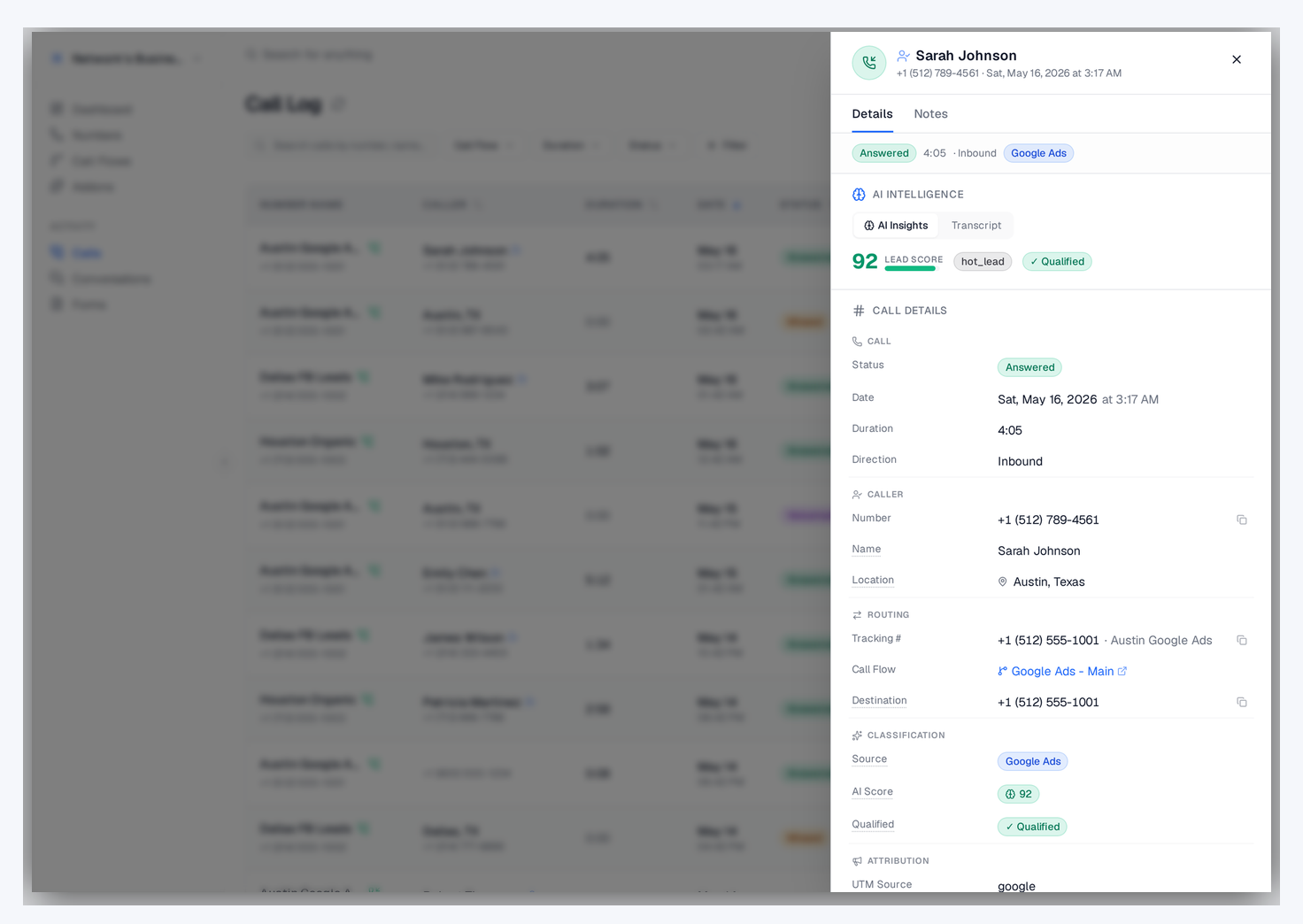
3. In the AI Intelligence area, use the AI Insights tab to view lead score, category, qualified status, reason, and summary.
4. Switch to the Transcript tab to read the full call text with speaker-attributed turns.
If a call has a recording but no AI data yet, you can run analysis from call detail with Analyze with AI.
Search Calls by Transcript Content
Use the search field in Call Log to find words or phrases from conversations. This helps you quickly find calls mentioning specific services, locations, or objections.
Use Lead Scores in Optimization
Lead scores and AI qualification can be used in ad conversion rules so only higher-quality calls are reported to Google Ads, Meta, or Microsoft Ads. Configure this from Extensions in each integration card.
Billing and Usage
AI transcription is usage-based. Rates vary by plan and account setup, so check your current transcription rate in Settings → Billing.
Troubleshooting
If transcripts or scores are missing:
1. Confirm the call flow has both recording and AI transcription enabled.
2. Confirm the call has an available recording.
3. Refresh call detail after 1-2 minutes, then run Analyze with AI if needed.
4. Check that your account has available balance for usage-based processing.
If a webhook is configured to wait for AI but recording or transcription is disabled on the flow, CallScaler falls back to immediate webhook delivery without AI fields.
Related
On this page