Call Flow Step Types
How each call flow step works, when to use it, and how to configure it in the live editor.
Before you add steps
1. Open Call Flows and create or open a flow.
2. Click Add Step.
3. Choose one of the 10 active step types shown in the editor.
4. Drag steps to reorder, then click Save.
CallScaler executes steps in order, top to bottom.
If your flow dials a destination (Forward, Multi-Ring, Schedule, Round Robin, or Zip Code), keep a fallback path configured so calls do not dead-end when nobody answers.
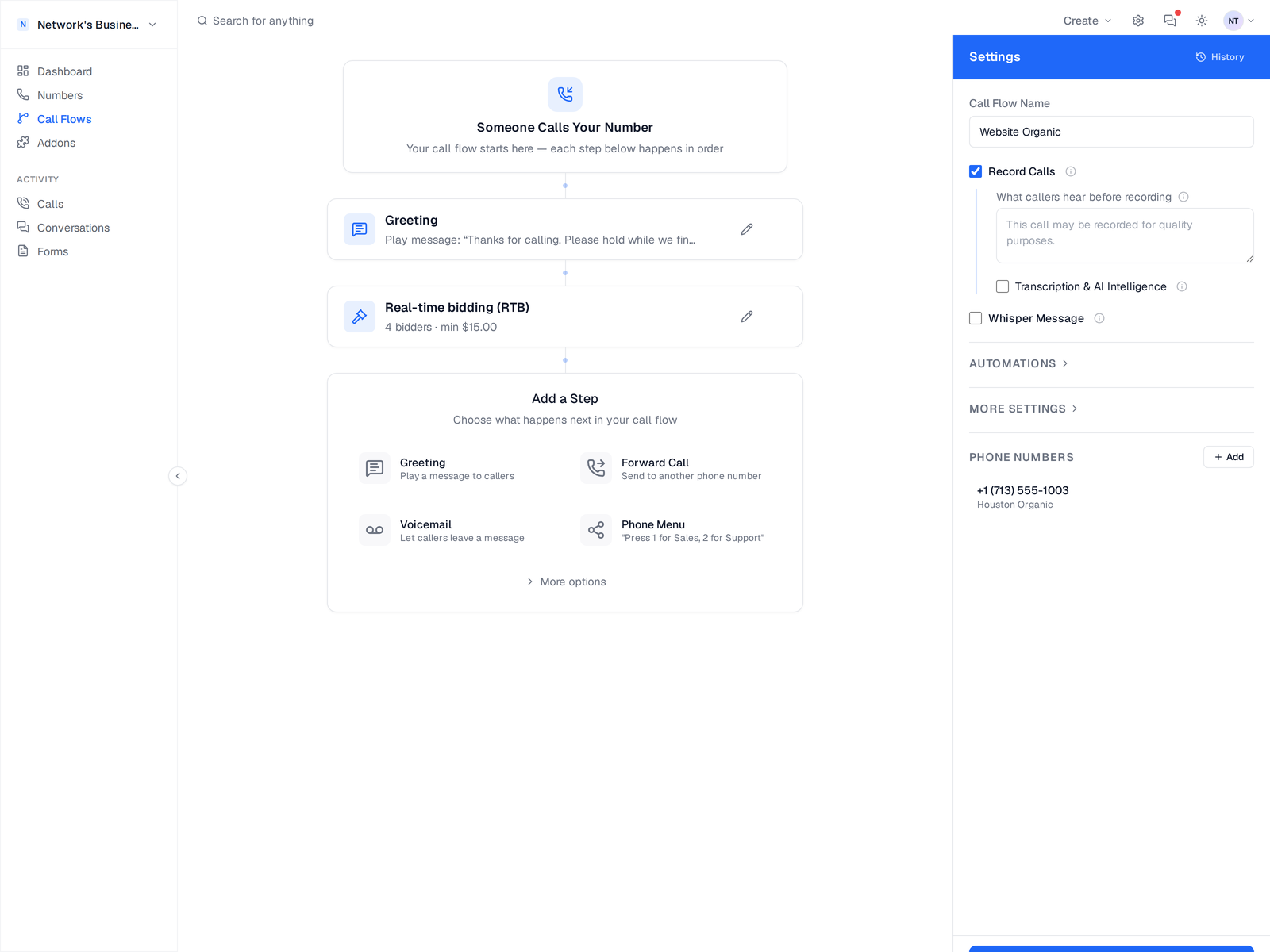
Greeting
Use Greeting to play a message before routing. Configure Text-to-Speech or upload an MP3/WAV file in the step editor.
- •Best for quick intros like "Thanks for calling" or compliance disclaimers.
- •Runs before the next step, so callers hear this first.
- •Works well as the first step in almost every flow.
Forward Call
Use Forward Call to send callers to one destination number. You can set ring timeout, caller ID behavior, and failover handling in the same step.
- •Use this when one person or one line should always receive the call first.
- •Common setup: office line first, voicemail as fallback.
- •Destination should be in E.164 format (for example +18135551234).
Voicemail
Use Voicemail when no one answers. Configure greeting mode (TTS or MP3/WAV), max recording length, transcription, and notification emails.
- •Voicemails appear in your Call Log alongside every other call.
- •You can send notifications to multiple email recipients.
- •Useful as a fallback step after Forward, Multi-Ring, or Schedule.
Ring Multiple People
Use Multi-Ring to dial several destinations with one step. Configure a strategy and failover behavior.
- •Good for teams where fastest answer time matters.
- •Add each destination in the step settings.
- •Use failover to continue to the next step when nobody answers.
Business Hours
Use Business Hours (Schedule) to route by day and time windows. Each block can have a different destination.
- •Example: Mon to Fri 9am to 5pm routes to office, all other times route to voicemail.
- •Set the timezone in each schedule block.
- •Add a fallback destination for unmatched times.
Rotate Between Agents
Use Round Robin to distribute calls across agents in turn. This is best for balanced lead distribution.
- •Add agents with destination numbers in the step settings.
- •Calls rotate through the list instead of always hitting the same person.
- •Use this for fairness when multiple reps share one campaign.
Route by Zip Code
Use Zip Code routing to prompt callers for a 5-digit ZIP code, then route by matching rules.
Zip Code routing asks callers to enter their ZIP with keypad digits. It does not auto-detect location from the caller's phone number.
- •Add ZIP patterns and destination numbers in each rule.
- •Example: 813/336 routes to Tampa, 305 routes to Miami.
- •Set fallback destination for ZIPs that do not match any rule.
Real-Time Bidding (RTB)
Use RTB to auction every inbound call across your buyers in real time. CallScaler prompts the caller for a ZIP, pings every active buyer in parallel, and routes the call to the highest qualified bid above your minimum.
RTB is a $39/mo extension with a 14-day free trial, included free on the Pay Per Call plan. See Real-Time Bidding (RTB) for setup details.
- •Works with MarketCall, Arroyo Media, Ringba, TrackDrive, CallGrid, and any custom ping endpoint.
- •AI buyer autofill imports an endpoint config from a pasted curl or spec in seconds.
- •Bids below your
Min bidare filtered out automatically. - •Calls that don't win any qualifying bid go to your configured fallback destination.
Caller Check
Use Caller Check to screen the caller against an external lookup API (for example a litigator or blocklist scrub such as Blacklist Alliance) and hang up when the caller comes back flagged. Place it before the step that dials.
Caller Check fails open. If the lookup is slow, errors, or the field is missing, the call continues normally.
- •The lookup runs in the background, so clean callers are never delayed.
- •Save your API key once in the step. It is stored encrypted and reusable on every flow.
- •Use
{caller},{caller10}, and{api_key}in the URL and parameters. - •Set the hang-up rule with a dot path into the JSON response (for example
messageequalsBlacklisted). - •Blocked calls show a Blocked badge in the Call Log, and Pay Per Call buyers are not charged for them.
Webhook step status
The old in-flow Webhook step is deprecated and no longer runs in active call flow execution. For external integrations, use Post-Call Webhooks in call flow settings instead.
Set up post-call webhooks in Call Flows and follow the Webhooks guide for payload and retry behavior.
If you still have a legacy Webhook step in older JSON, CallScaler skips it during execution.
On this page